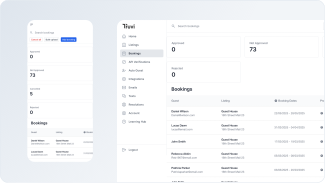


TL;DR: RevPAR (Revenue per Available Room) measures your actual revenue efficiency per available night, not just per booking. Increase it by using dynamic pricing tools, optimizing your maintenance schedule, building direct booking channels, upselling services, and setting smart minimum stay rules. Track RevPAR alongside ADR and occupancy to spot pricing problems early, then protect your revenue with guest screening and damage protection.
Your occupancy looks decent, but your revenue doesn’t match. Or maybe you’re hitting 80% occupancy but barely breaking even. The problem isn’t just how often you’re booked — it’s whether those bookings actually translate into profit.
RevPAR (Revenue per Available Room) shows you what’s really happening. It’s the metric hotels have used for decades to track revenue per night, and it works just as well for vacation rentals. Unlike occupancy alone, RevPAR tells you if your pricing strategy actually makes money.
Here’s how to calculate it, track it, and use it to boost your rental income.

What is RevPAR?
RevPAR (Revenue per Available Room) is a rental metric that shows the average revenue per available night. To calculate it, you’ll need your total revenue and the number of available nights for a specific period (e.g., a month).
When you charge the same amount for all days booked, RevPAR stays stable. But this vacation rental pricing strategy doesn’t work well. Smart hosts use dynamic pricing for vacation rentals, setting different rates based on demand, seasonality, and other factors. In these cases, RevPAR varies from month to month and requires regular tracking.
Why track RevPAR?
Revenue per available room tracks property performance over time and is a core metric for vacation rental revenue management. You can compare your rate with competitors’ to see if your charges are too low, too high, or just right. Tracking RevPAR also helps you:
- Get more control over rental revenue
- Evaluate your pricing strategy or pricing tools
- Benchmark against competitors and the market average
- Identify more and less profitable rentals in your portfolio
- Report to homeowners (if you’re a property or revenue manager)
Revenue tracking helps you get the most from each property. Vacation rentals come with many hidden expenses, and without regular management, they can gradually lose profitability.
How to calculate RevPAR
There are two ways to calculate RevPAR — based on Total Revenue & Total Available Nights and ADR & Occupancy Rate. If you haven’t calculated ADR and occupancy before, start with the simpler formula. Here’s how:
- Add up your total revenue for the month and count available nights
- Divide the total revenue by the number of nights
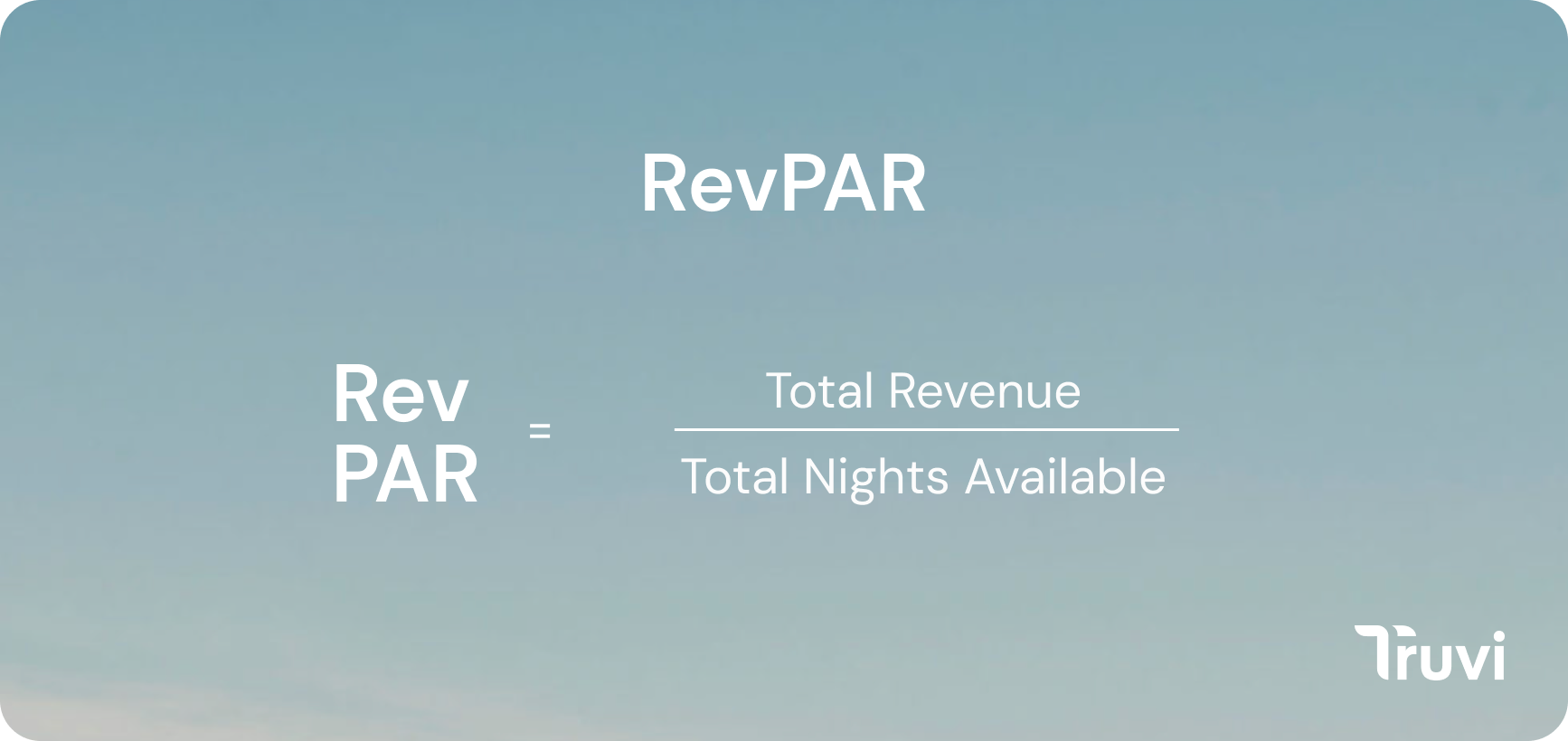
Note that available nights may vary due to property maintenance or unexpected issues. You may need to take a few days off to fix plumbing or paint a wall. Consider this in your calculations and track the actual number of available nights (it may be lower than 30).
Example #1: How to calculate RevPAR
Let’s say you rented a unit through Airbnb, Vrbo, and other channels, earning $2,600 combined in June. The total number of available nights was 28, since 2 days were necessary for maintenance. The RevPAR is $2,600/28 days = $93. This means your unit earns $93 per available night, including those unbooked.
The second way to calculate RevPAR is based on ADR. These two metrics are closely related.
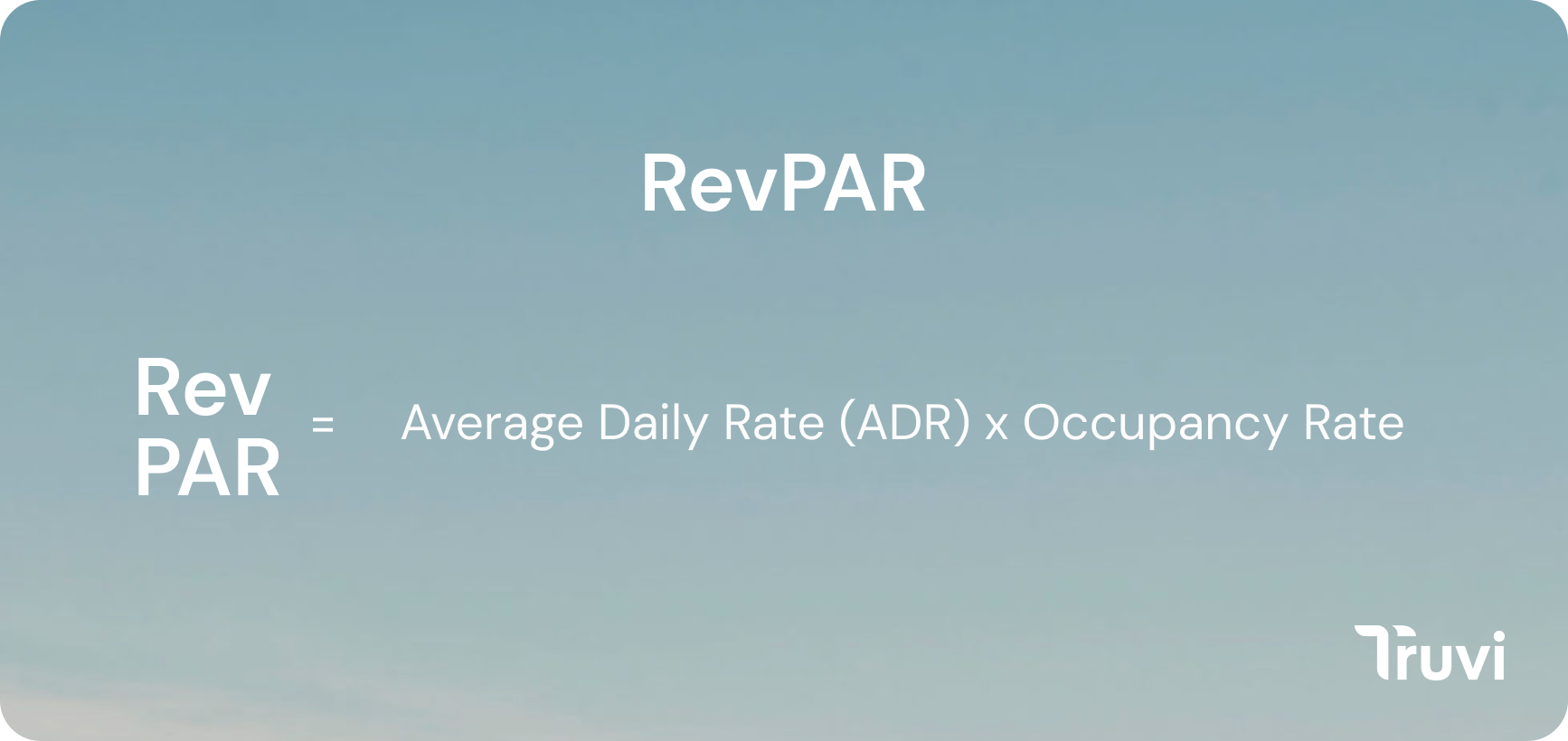
If you know the ADR and occupancy or you’re ready to make some additional calculations, you can use an alternative formula. Multiply the average daily rate by occupancy. Here’s how:
- Calculate the ADR (= Total Revenue ÷ Nights Booked)
- Calculate the occupancy (= Nights Booked ÷ Nights Available)
- Multiply the average daily rate by occupancy to get RevPAR
Example #2: How to calculate RevPAR
For the second formula, you’ll first calculate the average daily rate and occupancy. Let’s say your total revenue was $2,600 with 16 nights booked. The number of nights available was 28, just like in the example above.
Then, the ADR is $162.50 ($2,600 ÷ 16)
Occupancy is 0.57 (16 ÷ 28)
And the RevPAR is $93 ($162.50 × 0.57)
The result is equal in both cases, so use whichever formula works for you.
What’s a good RevPAR?
What’s a good RevPAR depends on your location, property size and features, and seasonal demand. The best way to know if your RevPAR is high or low is to compare your own results and track how your rental approach affects revenue.
For market averages, you can use the AirDNA website. For example, for London, it shows $137.60 revenue per available rental. Data like this can help you price better, but shouldn’t be your only source of information. Use the market average as a baseline, check competitors, and track your own metrics to find the right RevPAR for your property.
How to track RevPAR
If you run a single property, you can use an Excel spreadsheet to track revenue and enter automated formulas to calculate RevPAR. It’s 100% free and shouldn’t take much time once you’re done with the initial setup.
If you manage multiple units, you might find PMS systems more convenient for tracking. Tools like Hostaway, Guesty, OwnerRez, or Hospitable automatically calculate RevPAR, ADR, occupancy, and other vacation rental metrics. You can view performance analytics and decide on the best pricing strategy. Working with an Airbnb revenue manager can also help you optimize these metrics.
6 ways to increase your RevPAR
Before you rush to adjust your pricing strategy, track revenue per available room for at least several months. This gives you a broader picture of what’s happening with your rental and helps account for seasonality. Bad months happen. Maybe it’s low season, and your rates will naturally grow in the following months.
You’ll also want to analyze local market trends and rates. If you operate in a location with traditionally low demand, you may not be able to achieve high RevPAR. Keep this in mind when estimating current revenue and testing different strategies to improve it.
Once you’ve got enough baseline data, here’s how to increase your RevPAR:
1. Turn on dynamic pricing tools
If you rent through Airbnb as your primary channel, you can use Smart Pricing for dynamic nightly rates. The feature evaluates hundreds of factors in your listing and market demand to set optimal prices. These rates balance pricing with occupancy, meaning you get the highest rate someone’s ready to pay.
Many hosts complain that Smart Pricing sets rates too low, but it beats managing prices manually if you don’t have time for it.
If you don’t use Airbnb or want more advanced tools, consider dynamic pricing alternatives like PriceLabs, Beyond, DPGO, Wheelhouse, and Lodgify Dynamic Pricing. These tools are more customizable than Airbnb and follow a more aggressive approach, resulting in higher RevPAR. Learn more about how dynamic pricing works and how to configure these tools for your market.
2. Build a direct booking website to grow occupancy
Another way to increase RevPAR is by using more channels to reach potential guests. Consider building a direct booking website with a calendar plugin where people can check available dates and book a stay. There are many affordable drag-and-drop builders with intuitive interfaces and step-by-step instructions.
Direct bookings have a higher margin, which increases your net revenue. The charges for using website-building tools are lower than the OTA platform fees you pay every day. This lets you set more competitive prices and increase occupancy by attracting more guests. You may also get loyal clients who book repeatedly through the website.
3. Combine RevPAR with other metrics
Use multiple metrics to get the full picture of your vacation rental performance. This helps you better understand how to improve your property and why your RevPAR is lower than expected.
Combining RevPAR and average daily rate (ADR) is a common approach. RevPAR and ADR affect each other since both depend on total revenue. The best-case scenario is when both RevPAR and ADR are growing. This means your pricing strategy works, and you only need to monitor the change. If the average daily rate grows while your RevPAR is low, your nightly rates may be too high. Low ADR with low RevPAR may mean your prices are too low.
For a detailed breakdown of how these metrics work together, see our guide on RevPAR vs. ADR.
It’s also worth measuring net operating income to see how much is left after deducting all expenses and the average length of stay. Working on improving length of stay can help increase occupancy and, therefore, increase RevPAR.
4. Optimize maintenance
If your property’s closed for 5-7 days monthly, it’ll significantly lower revenue. Fewer available days = fewer bookings = less money. Review your maintenance schedule and block bookings only when absolutely necessary. Experienced hosts usually know how many days they need to keep the place in order.
Here’s a realistic maintenance schedule:
- 3-4 hour break between guests
- 1 day monthly for small repairs, pest control, and HVAC filter checks
- 1–2 days quarterly for deep cleaning
- 2–5 days annually for major maintenance and big repairs
Property damage protection and guest screening can optimize maintenance and leave more days available for bookings. By keeping guests accountable, you filter out those who are more likely to cause property damage that requires substantial repairs. These steps can significantly improve revenue — including RevPAR, ADR, and net.
5. Upsell additional services
If the local market doesn’t let you raise nightly rates, try other ways to increase the average check. This way, you can get higher total revenue and, consequently, better RevPAR.
Services you can charge for:
- Early check-in or late checkout
- Welcome packages
- Breakfast, wine, or snacks
- Access to the gym or swimming pool
- Celebration packages (e.g., flowers, cake, candles, etc.)
- Airport pickup/drop-off
- Additional cleaning services
- Local tours
Don’t overcharge guests for things like checking out 45 minutes later. This results in negative reviews and repels potential guests. Keep a balance and be transparent about any additional charges. Experienced hosts usually have a guide or send guests a message with available extras before check-in.
6. Set minimum stay rules
Too short and frequent stays may result in lower RevPAR. When your booking calendar has too many 1-2 day stays, people looking for longer vacations won’t find available dates. Consider setting minimum stay rules and focus on guests who want to stay longer.
The minimum duration must account for seasonality and demand. In low season, allowing 1-2 day stays is a good way to keep the property occupied. In high season, aim for a 3-5 day average stay duration. Longer stays improve occupancy and generate higher monthly profit. They also reduce operating cost per night, since you don’t have to clean the property and meet guests every other day.
Track your RevPAR, then protect it
Understanding RevPAR helps you spot pricing problems and occupancy issues before they hurt your bottom line. But tracking revenue and protecting it are two different things.
The metrics look great until a problem guest causes $3,000 in damage or a party forces you to block your calendar for repairs. These incidents don’t just cost money — they directly hurt your RevPAR by reducing available nights and eating into revenue.
Guest screening catches problematic bookings before they arrive, reducing the risk of damage and lost revenue. Damage protection up to $1M covers you when accidents happen, with reimbursement typically within 5 business days. Together, they keep your RevPAR stable by preventing the incidents that force you to take properties offline.
Protect your RevPAR while you grow it
Screen guests before they book and get damage protection that keeps properties available. Track your revenue, then protect it.